Support

Talk to us.

One number for the software, a demonstration, or a question about an installation you already have. It takes a call and a WhatsApp message alike.

90418 83600

To buy, or to see a demonstration, write to sales@vertexerp.co.in.

Before you call keep these handy
  1. The version you are onon the dashboard, top right
  2. This computer's code9A under Licence
  3. The screen you were onits name is on the tab
  4. What it said on screena photo on WhatsApp helps
Four things that make a call a short one.
Ask us, two ways

On WhatsApp, or inside the software.

Type support to 90418 83600 on WhatsApp, or ask from inside Vertex ERP. Either way, the reply comes back where you asked.

On WhatsApp

  1. Open WhatsApp and message 90418 83600.
  2. Type the word support.
  3. Say what is wrong. A photo of the screen helps.

Open WhatsApp, with support typed

Inside Vertex ERP

  1. Press Support on the dashboard, or 9 then E from any screen.
  2. Say what is wrong. Your version, the company and the screen you were on go with it.
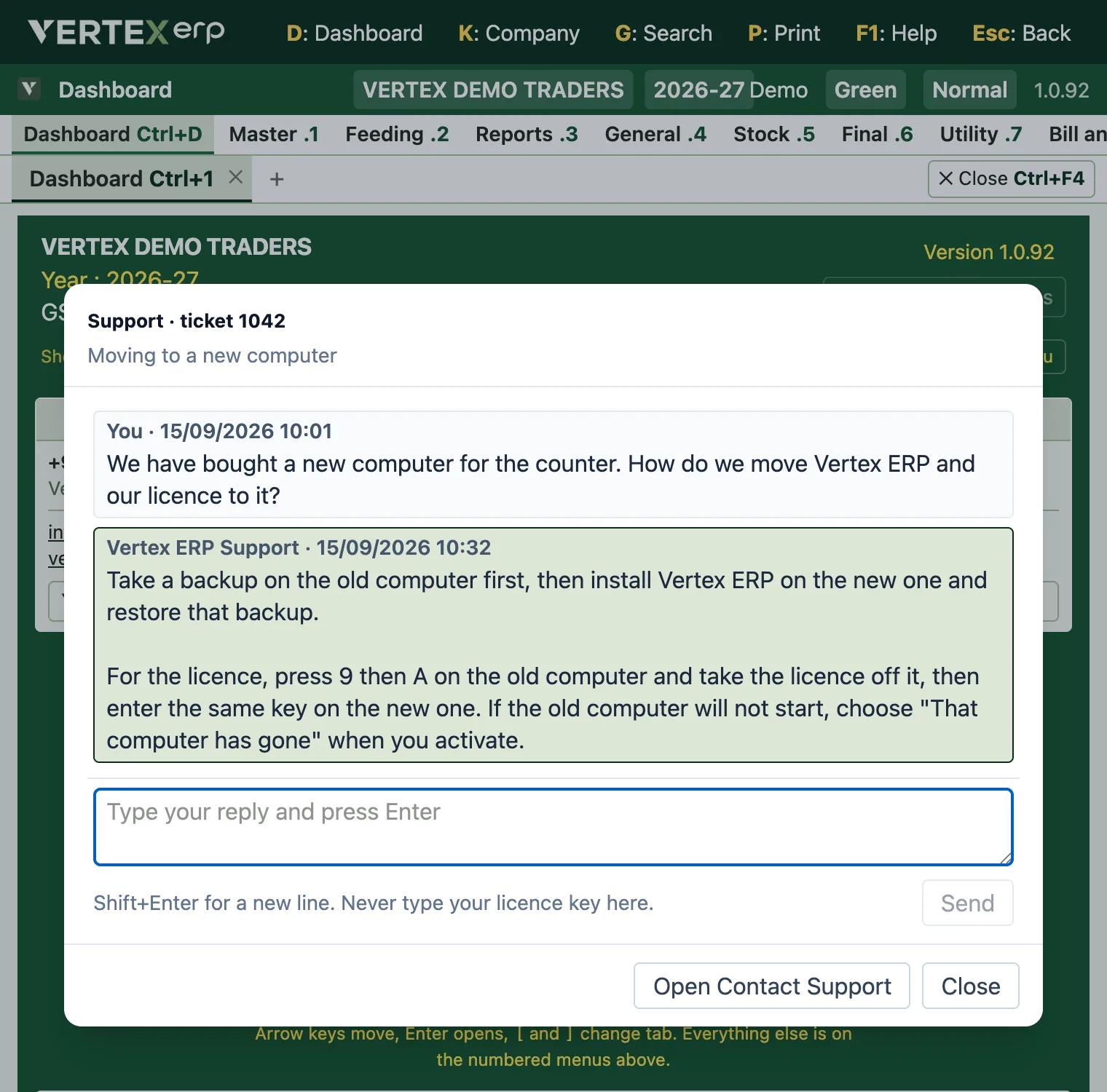
  3. Our reply comes back to the same window, and Support has replied shows at the top of every screen.

Asking from inside the software needs an activated copy. During the trial, use WhatsApp.

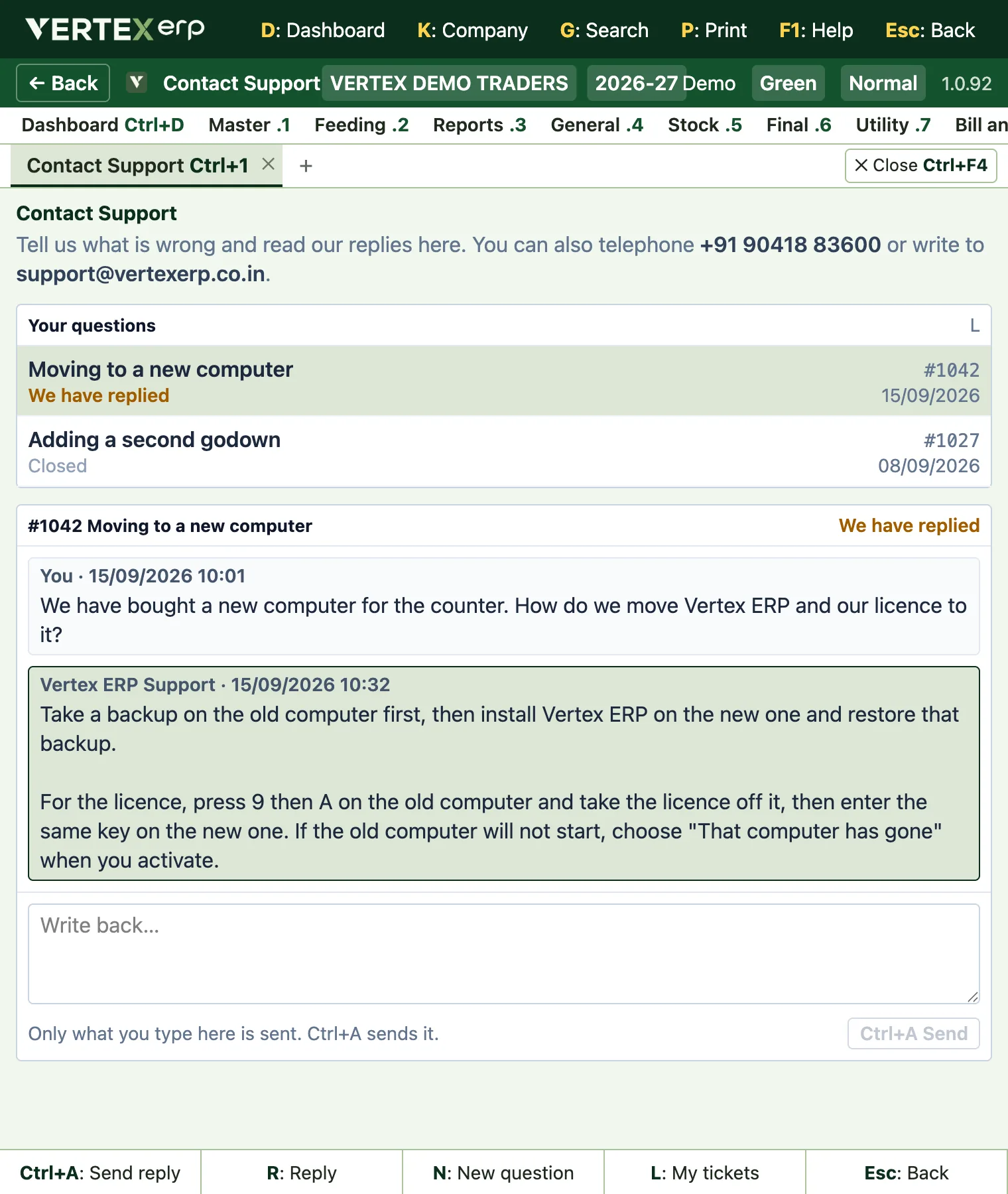
The Contact Support screen in Vertex ERP at half a screen's width: the customer's questions above, and a conversation with Vertex ERP Support below.
Contact Support, at half a screen's width. An example conversation on the demo company.
What reaches us

You describe the problem. The software sends the rest.

A question asked inside Vertex ERP arrives with your version, your plan, the computer, the screen you were on and the last lines of the software's own log. Your licence key arrives masked, and you can press V to read every word before it goes.

#1042Open

Moving to a new computer

Raised in the software
Company
VERTEX DEMO TRADERS
Plan
Orbit · 2 PCs
Version
1.0.92
Computer
COUNTER-PC
Raised from
Dashboard
Licence
•••••••••••• 4c2e
In the software15 Sept, 10:01

We have bought a new computer for the counter. How do we move Vertex ERP and our licence to it?

--- Diagnostic log, sent automatically ---
start version=1.0.92 machine=COUNTER-PC os=Windows 11 Pro
books-open needsSetup=false companies=1
In the software15 Sept, 10:32

Take a backup on the old computer first, then install Vertex ERP on the new one and restore that backup.

WhatsAppIn the softwareOur reply goes into your Contact Support screen, and to WhatsApp when your number is on the ticket.

A drawing of a ticket at our support desk, with the demo company's details.

Before you call

Most answers are one screen away.

The help centre

Every screen in the software is written down: where it lives, which keys open it, and what it does, with step-by-step guides for the jobs you do every week.

Open the help centre

Inside the software

Contact Support sends us what we need to see without you having to describe it, and our replies come back to the same screen. It raises a ticket from an activated copy.

Help menu 9 then E See it

If it will not open at all

On Windows, a second program, Vertex ERP Support, is installed beside the main one. It opens when Vertex ERP will not, and sends us the diagnostic.

Start menu › Vertex ERP Support

Keyboard shortcuts

Every key the software answers to, on one screen, including what the strip along the bottom of each screen adds.

Help menu 9 then D
Licences

Renewing, a second computer, a new one.

Everything about a licence starts on one screen: the Help menu, 9 then A.

  • RenewingSend us a message before the date on your licence and we will issue the next one.
  • A second computerExtra PCs are charged separately and can be added to an existing licence.
  • A new machineTake the licence off the old computer from inside the software, then activate the new one. If the old one has gone altogether, choose "That computer has gone" when activating, or tell us and we will free the seat.
  • The key itselfIt comes by email and never over WhatsApp. If you have lost it, ask and we will send it again.
The About Vertex ERP screen in Vertex ERP, with the Licence box, this computer's code and the box to paste a licence key.
Help 9 then A: the licence, this computer's code, and where a key goes.
Write to us

The registered address.

Vertex ERP is published by KAVIN INTERNATIONAL in Jalandhar. For anything faster than a letter, the number and the email reach the same people.

To
KAVIN INTERNATIONAL
26/1, Narayan Nagar,
Basti Sheikh Road,
Opposite SBI Bank,
Jalandhar 144002
Punjab, India
The publisher of Vertex ERP.