1
Master
The lists everything else reads from: account heads, parties, items and opening balances.
- AA/c Head
- BParties
- CItem Master
- DItem Group
- FOp. Balance of A/c


Vertex ERP runs on your own computer, Windows or Mac. Every one of nearly two hundred screens opens from a menu number and a letter, and your books never leave your machine.
 Vertex ERP — Dashboard

| Particulars | Received ₹ | Paid ₹ | Balance ₹ |
|---|---|---|---|
| Opening balance | 12,500.00 | ||
| Cash sales, counter | 23,450.00 | 35,950.00 | |
| Shop rent, September | 8,000.00 | 27,950.00 | |
| Electricity bill | 2,180.00 | 25,770.00 | |
| From a customer, in cash | 6,300.00 | 32,070.00 | |
| Deposited in the bank | 20,000.00 | 12,070.00 | |
| Closing balance | 29,750.00 | 30,180.00 | 12,070.00 |
What came in, what went out, and the balance at the foot of the page. Businesses across India have kept this book by hand for generations. Vertex ERP keeps the same book: you key each entry once, and every balance is worked out from the entries, so the foot of the page always agrees with the lines above it.
Screens from the demo company, exactly as the software draws them. Every figure on them comes from the ledger.

A bill, a bank statement, a statement from another package. A PDF, a spreadsheet, or a photograph taken on a phone. It reads them, and it reads them on your own PC.
Coming in an updateIn testing now, and arriving in a software update.
A supplier's own PDF is read exactly. A photograph is read by character recognition on your machine, so the picture of your bill never leaves your premises. The GSTIN says who sent it.
Excel, CSV, the bank's own PDF (even a password-protected one), or a photograph of it. No converting, no deleting header rows, no mapping columns.
A party's account statement from another accounting package, as a PDF or a spreadsheet. It's matched against what you already have, and only the missing entries are added.
Character recognition downloads its language file once, about ten megabytes, then works offline from then on. It isn't bundled into the installer, so nobody who never photographs a bill pays for it in download size.
The portal comes to the screen you're already on, with nothing to download and upload by hand.
Vertex ERPYour books, on your PCGSTR-2B and GSTR-2Adownloaded into the software
Cash, credit and liability ledgersread from the portal, not typed
E-way billsraised, updated, extended or cancelled, and read back
GSTR-1checked against your books, ready for the portal
Keep a bill, a report and the dashboard open together, and click + for another. Ctrl 1 to 9 moves between them, and Ctrl F4 closes one.
Everything you can do with a bill is one right-click away, and the highlight follows your mouse: view, print, send, a credit note, the e-way bill or the party's ledger. The numbered menus answer a right-click too.
Each of nearly two hundred screens opens from two keys, so a day's entry never means reaching across the desk.
GST is extra, and the full amount you'll pay is shown on each plan before you check out.
The complete software, every module, on your own PC. On day thirty-one it asks for a licence key, and everything you entered stays exactly where it is.
Two ways to reach us, and both come back to you: type support to 90418 83600, or ask from the Support panel on your dashboard.
Support
Sorry you’re facing a problem — we’ll raise a support ticket for you.
First, what is your company name?
Vertex Demo Traders
Thank you. Your ticket number is WA-12.
Please describe the problem here — a screenshot helps — and our support team will reply in this chat.
Asking from inside the software needs an activated copy. During the trial, use WhatsApp.
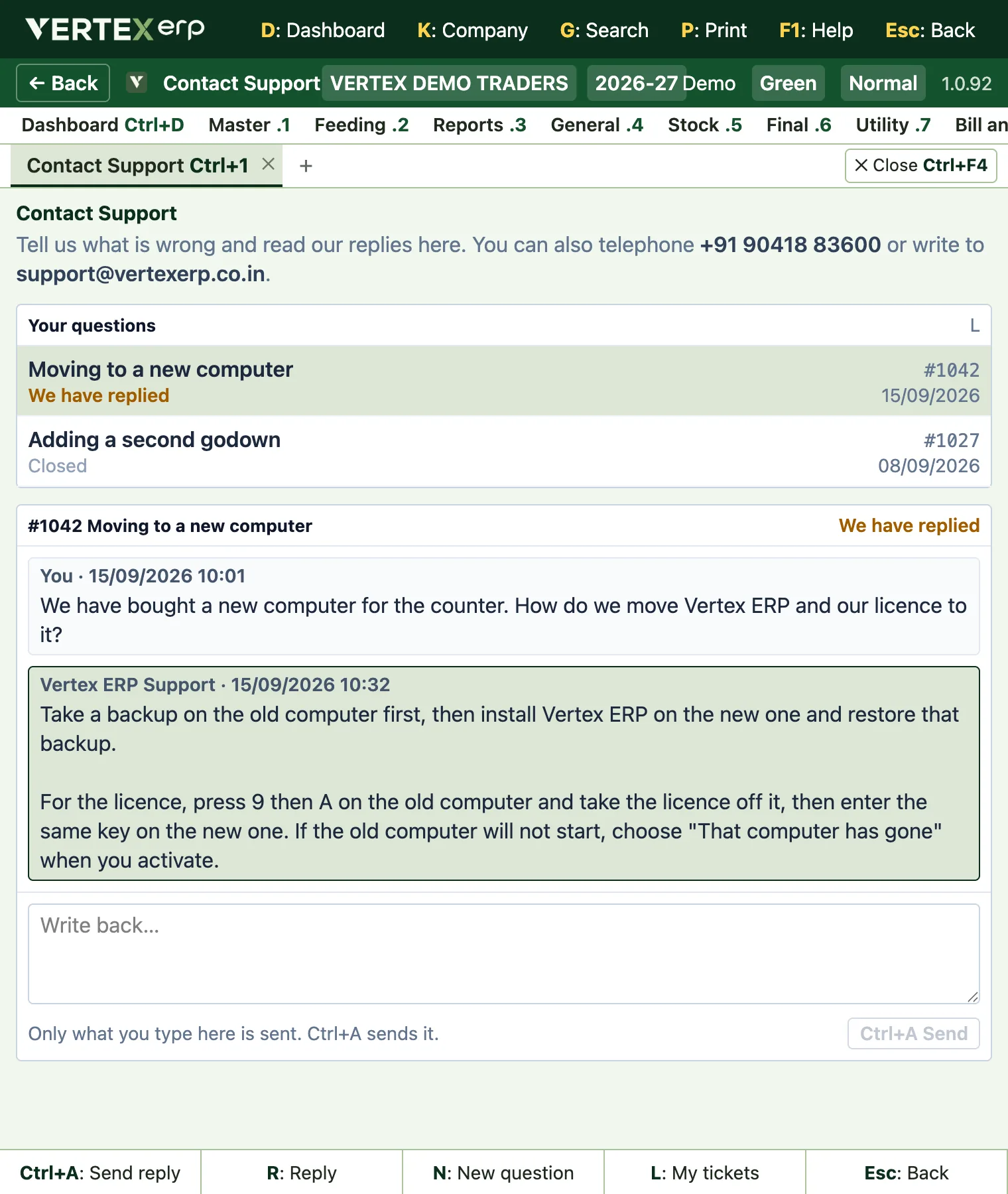
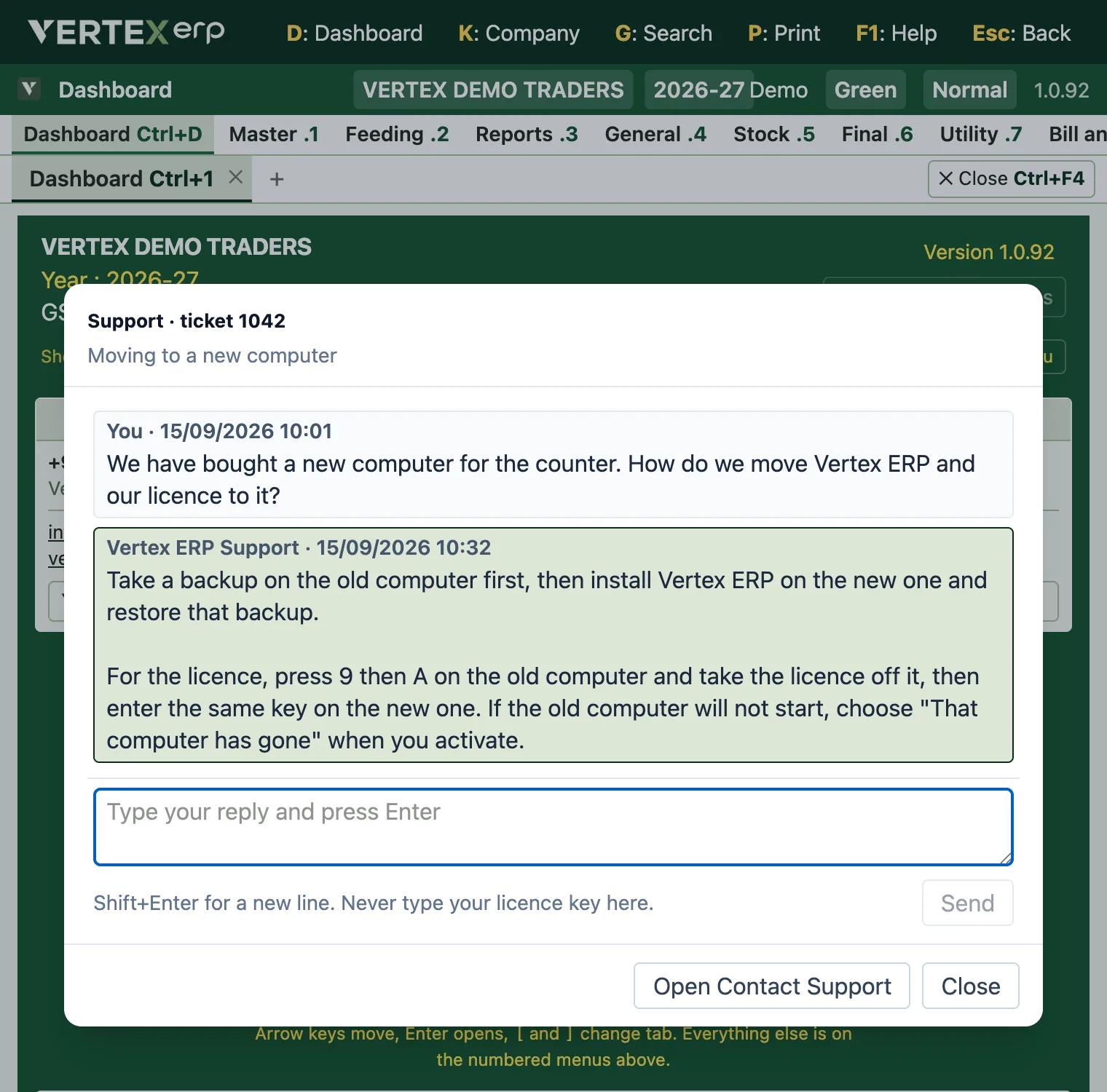
Guides for the jobs you do every week, and every screen in the software written down, with the keys that open it. Search it as you type.
Open the help centreFor the software, a demonstration, or a question about an installation you already have. Call, or send a message on WhatsApp: the same number does both. By email, buying and demonstrations go to sales; an installation you already have goes to support.


